A chat box is the easiest AI feature to build and the hardest to make people trust. You can wire a text input to a model in an afternoon, and it will demo beautifully. Then it meets real users and the cracks show: the screen sits frozen while the model thinks, nobody can tell what it is doing, there is no way to stop a wrong answer mid-flight, and every claim it makes is unverifiable. I have watched more than one launch where the model was fine and the interface was what lost the room. Good UI/UX design for AI chat is not about a prettier bubble. It is about the handful of feedback and control patterns that decide whether users believe what they are reading.
This is the production-survival checklist most teams skip, in the order the gaps tend to bite. Streaming feedback so the thing feels alive. Visible tool calls so users can see the work. A stop button so a running answer is never a runaway train. Inline citations so trust is earned, not assumed. And the contrarian one nobody building an AI product wants to hear: about half the time, a chat box is the wrong pattern, and a button or a form would serve the user better. Here is what we have learned shipping these to real people.
now the baseline; a static, all-at-once reply reads as broken
non-optional; users must be able to interrupt a running answer
the single biggest trust lever in an AI chat UI
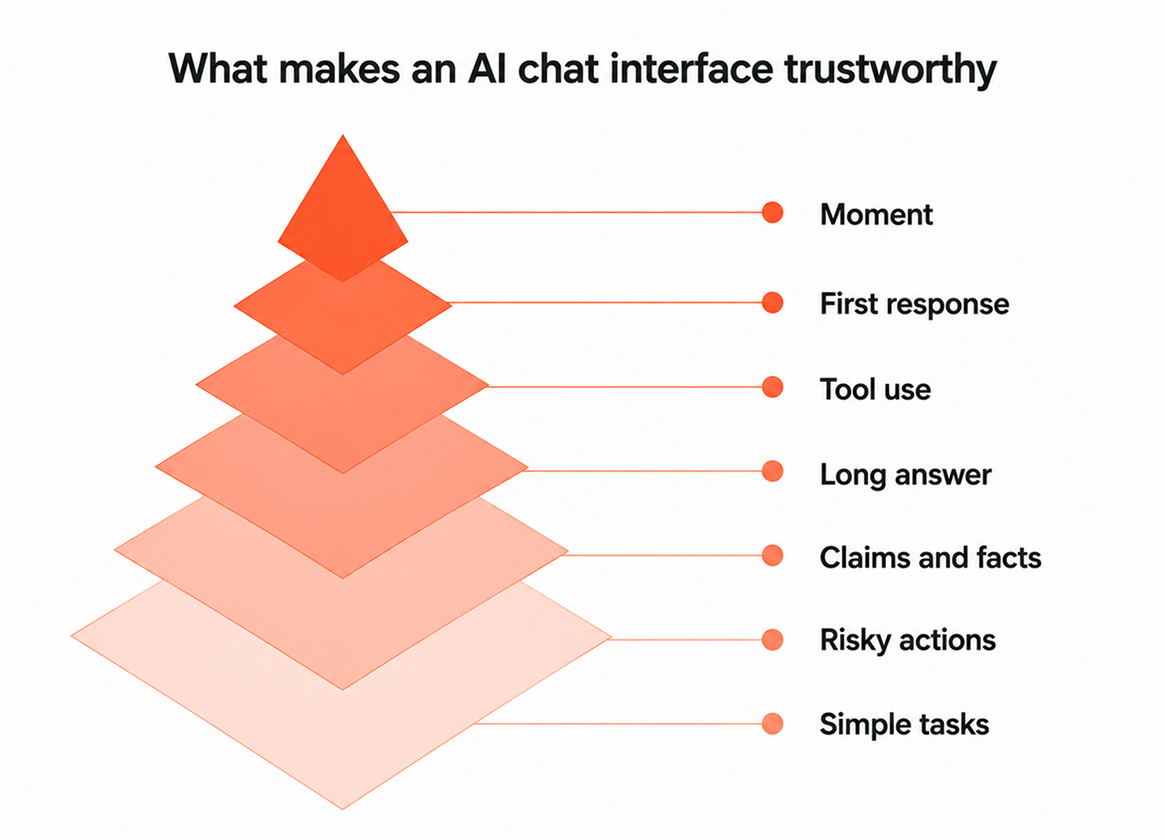
What makes an AI chat interface trustworthy
The short answer: trust comes from feedback and control, not from how well the model writes. A user decides whether to believe an AI chat in the first few seconds, based on whether the interface moves in real time, shows its work, and lets them stay in charge. Fluency without those signals reads as a confident stranger you have no reason to believe.
Everything in this article is one of those signals. It helps to see them side by side before we go deep, because each one has a broken version teams ship by accident and a trust-building version that takes a little more work. This is the map I hold every AI chat build against.
| Moment | Trust-breaking (avoid) | Trust-building (do) |
|---|---|---|
| First response | Frozen screen, then a wall of text | Instant typing indicator, then streamed tokens |
| Tool use | Silent pause while it searches | A visible step naming what it is checking |
| Long answer | No way to stop a wrong reply | A clear stop button that cancels instantly |
| Claims and facts | Assertions with no source | Inline citations you can click to verify |
| Risky actions | The bot acts on its own | A confirm step before anything irreversible |
| Simple tasks | Forcing everything through chat | A button or form when that is faster |
Streaming: why a static reply feels broken
Streaming is now the baseline expectation, not a nice-to-have. A visible cursor or token stream tells the user the system is alive and working. A static reply that lands all at once after a long pause reads as frozen or broken, even when the answer is perfect. Every major AI tool has trained people to expect words to appear as they are generated, and anything slower feels wrong.
The number that matters is time to first token, not total response time. A user will happily watch a good answer stream in over eight seconds, but three seconds of a dead screen before anything appears feels like a hang, and that is when people refresh or leave. So the order is: show a typing indicator the instant the request goes out, start streaming tokens the moment the model produces them, and never make the user stare at nothing. A spinner alone is not enough. A spinner says "wait" with no promise it is working. A stream says "here it comes" and proves it.
Show the work: tool-call visibility
When an AI chat calls a tool, searches a database, hits an API, runs a calculation, show it. A short visible step like "Searching your orders" or "Reading the refund policy" turns an unexplained pause into visible progress, and it gives the user a reason to trust the answer that follows. Silence during tool use is the single most common way a working system gets mistaken for a broken one.
This matters most for agents, which take several steps and can go quiet for real stretches while they work. Surface each step in human language as it happens, and let the details collapse for anyone who wants them. Do not dump raw JSON or a stack of API payloads into the chat; summarize the action, not the plumbing. There is a support benefit too. When a user can see the bot pulled the wrong record, your team can diagnose the problem from a screenshot instead of guessing at an invisible chain of calls.
The stop button: interrupt and cancel
A stop button is non-optional. The moment an AI chat starts generating, the user must be able to halt it, because they can see it heading the wrong way, they realize they asked the wrong thing, or they already have what they need. Without a stop, a long wrong answer becomes a hostage situation, and the only escape a user has is closing the tab.
Two details separate a real stop button from a fake one. First, it has to cancel the request on the server, not just hide the text on screen. If the model keeps generating after the user hits stop, you are paying for tokens nobody will read and, worse, still running any tools mid-chain. Second, pair it with regenerate and edit-and-resend. Stop, fix the question, try again is the natural recovery loop, and when it is smooth, a wrong answer costs the user five seconds instead of derailing the whole session. The stop button is a control gate: it is the interface saying the human is still in charge.
Inline citations: the trust unlock
Inline citations are the single biggest trust lever in an AI chat interface. When the bot links each claim to the source it came from, a document, a record, a page, the user can verify instead of taking it on faith. An unverifiable confident answer becomes a checkable one, and that is the whole difference between a research assistant and a rumor mill.
Citations matter most in anything grounded in your own data, where the whole promise is that the answer reflects real records rather than the model's training. Link to the exact passage or row where you can, not just the document name, so verification is one click and not a scavenger hunt. There is a quiet bonus: citations expose bad retrieval fast. If the cited source does not actually support the claim, both the user and your team see it immediately, which is far better than a plausible answer nobody can trace. And when the model has no source, the honest move is to say so rather than assert anyway.
When chat is the wrong pattern
Here is the part nobody building an AI product wants to hear: about half the time, a chat box is the wrong pattern. Chat is open-ended and slow. If the task is a known, bounded action, pick a date, filter a list, approve a request, a button, a form, or an inline action beats making the user type a sentence and wait for a paragraph. The chat box looks modern, but for routine work it adds effort and removes certainty.
The blank chat box also has a discoverability problem. It is a "now what" moment: the user has to guess what the thing can do and phrase it correctly, where a set of buttons or a form just shows them. Deciding whether you even need a conversational surface is part of a bigger question about what you are actually building, which is where the difference between a chatbot and an agent starts to matter. The best products do not pick one mode. They mix: chat for the genuinely open-ended questions, and structured UI for everything the user already knows how to describe.
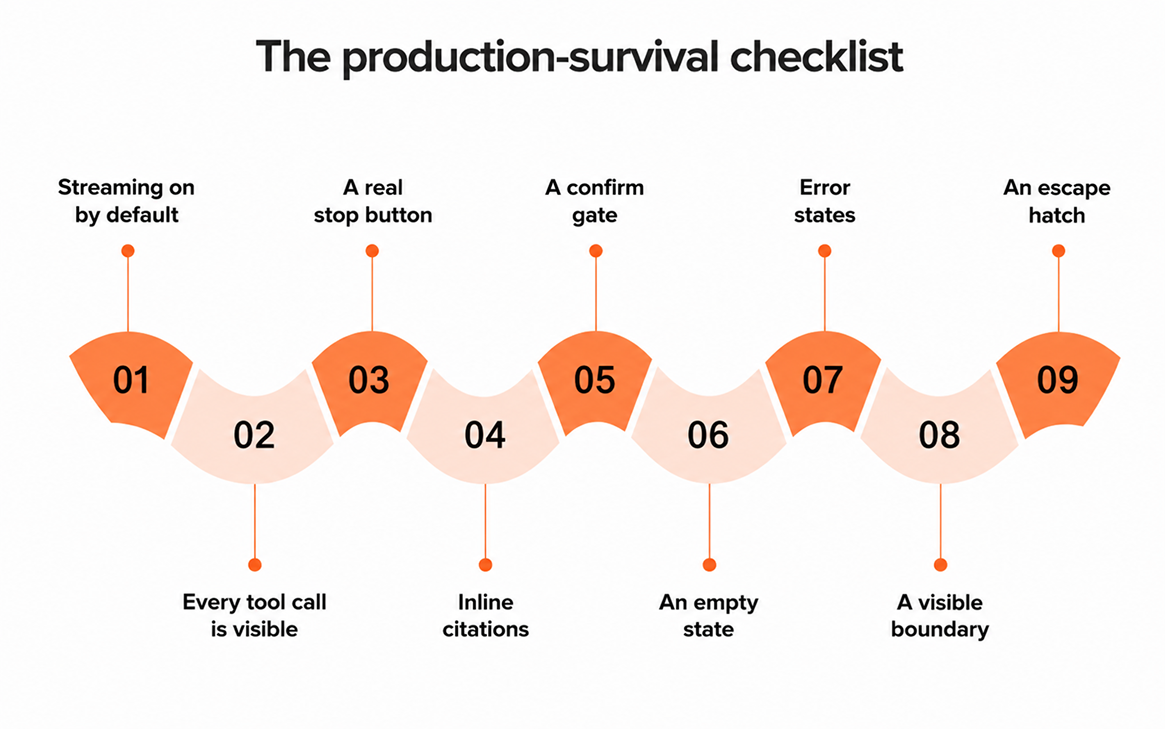
The production-survival checklist
Everything above collapses into a short list you can hold a build against before it ships. Two patterns worth their own rows are empty states and error states, the moments most teams design last. A blank chat with no starting prompts is a dead end, and a raw "500: something went wrong" breaks trust instantly. Both deserve real design, which we go deep on in designing AI error and empty states. Here is the checklist we run every AI chat through:
- Streaming on by default, with a typing indicator the instant the request goes out and first token in about a second.
- Every tool call is visible as a human-readable step, never a silent pause.
- A real stop button that cancels the request server-side, plus regenerate and edit-and-resend.
- Inline citations on any factual claim, linked to the exact source, and honesty when there is none.
- A confirm gate before anything irreversible: sending, paying, deleting, or changing data.
- An empty state with three to five example prompts so no one stares at a blank box.
- Error states that say what happened and what to do next, in plain language.
- A visible boundary on what the bot can and cannot do, so users are not guessing.
- Mobile-tested, because streaming, stop, and citations all have to work on a small screen.
- An escape hatch to a human or a structured tool for when chat is the wrong pattern.
How we design AI interfaces
Our approach starts from the user's moment of doubt, not the model's output. Before we design a single bubble, we ask where the user will hesitate, and we put a feedback or control signal exactly there. Streaming answers "is it working." Visible tool calls answer "what is it doing." Citations answer "is this true." A stop button and confirm gates answer "am I still in charge." Design the doubts away in that order and the interface earns trust instead of demanding it.
We are a CMMI Level 5 team of 80-plus engineers who have shipped AI and chat interfaces for 700-plus companies, and the pattern holds across all of them: the builds that survive production are the ones designed for trust, not just for answers. Most of that work, as with all our custom AI development, lives in the interface, not the model. If you are putting an AI chat in front of real users and want it to hold up long after the demo, tell us what you are building and we will map the feedback and control your interface actually needs.
Frequently Asked Questions
What makes an AI chat interface trustworthy?
Trust comes from feedback and control, not from how well the model writes. Users believe an AI chat when they can see it working through streaming, watch it call tools, stop it mid-answer, and check its sources with inline citations. A fluent reply with none of those signals reads as a confident stranger, not a reliable one.
What are the best practices for AI chat UI design?
The core set for 2026 is streaming responses so the interface feels alive, visible tool calls so users see the work, a stop button so nobody is trapped in a wrong answer, inline citations so claims are verifiable, and confirm gates before anything irreversible. Skip these and the model can be perfect while the product still fails.
Does an AI chat really need a stop button?
Yes, it is non-optional. The moment generation starts, users need a way to halt it because they see it going wrong, mistyped the request, or already have enough. A stop button should cancel the request on the server, not just hide the text, so you also save compute. Without one, a long wrong answer becomes a hostage situation.
When should you not use a chat interface?
About half the time. Chat is open-ended and slow, so it is the wrong tool for bounded, known tasks like picking a date, filtering a list, or approving a request. A button, form, or inline action is faster and less error-prone. The best AI products mix modes: chat for open questions, structured UI for everything routine.
How do inline citations improve trust in AI chat?
They let users verify instead of believe. When each factual claim links to the source it came from, a reader can check it in one click, which turns a confident assertion into a checkable one. Citations also expose weak retrieval fast, because a source that does not support the claim is immediately visible to both the user and your team.
Have a project in mind? Let's scope it together.
You get a named team, written estimates, full code and IP ownership, and 48-hour response times. CMMI Level 5 certified. 700+ projects delivered across the UK, US, UAE, and Australia.